

 Michael Carter🇺🇸 United States
 Emily Johnson🇺🇸 United States
 Noah Bennett🇺🇸 United States
 James Wilson🇺🇸 United States
 Olivia Martinez🇺🇸 United States
 Kevin Nguyen🇺🇸 United States
 Megan Lee🇺🇸 United States
 Ashley Davis🇺🇸 United States
 Daniel Moore🇺🇸 United States
 Ethan Miller🇺🇸 United StatesEmily JohnsonJob TitleHead of MarketingEmailemily.johnson@example.comSlack HandlerEmily JohnsonMichael CarterCEOStart Date14.09.2021
It might be a good idea to revise the way you maintain your org structure if:
Switch to OrgaNice - an org chart management bot for Slack that will do this work for you.
- Your team's data is scattered across multiple systems and spreadsheets
- Creating and updating org charts takes up hours of manual work
- Employees struggle to identify the right colleague to contact for specific issues
- Former employees are still present in your organization's chart
- New employees are integrated slowly and lack engagement
Keep your org chart in sync as your business grows
- Megan LeeFront-end Developer
- Kevin NguyenDevOps Engineer
- Mateo SilvaQA Engineer


Let your HRs get more time back in their day with OrgaNice!
Easily set up, build, and manage your company org chart
Customize which profile fields are Required and which are Optional. Required fields must be completed to finish the profile and will appear on the org chart.
Generate org chart in one click with AI
Michael Carter🇺🇸 United States17Emily Johnson🇺🇸 United States2Noah Bennett🇺🇸 United States3Share your org chart with stakeholders in one click
Michael Carter🇺🇸 United States17Emily Johnson🇺🇸 United States2Noah Bennett🇺🇸 United States3Keep it up-to-date automatically

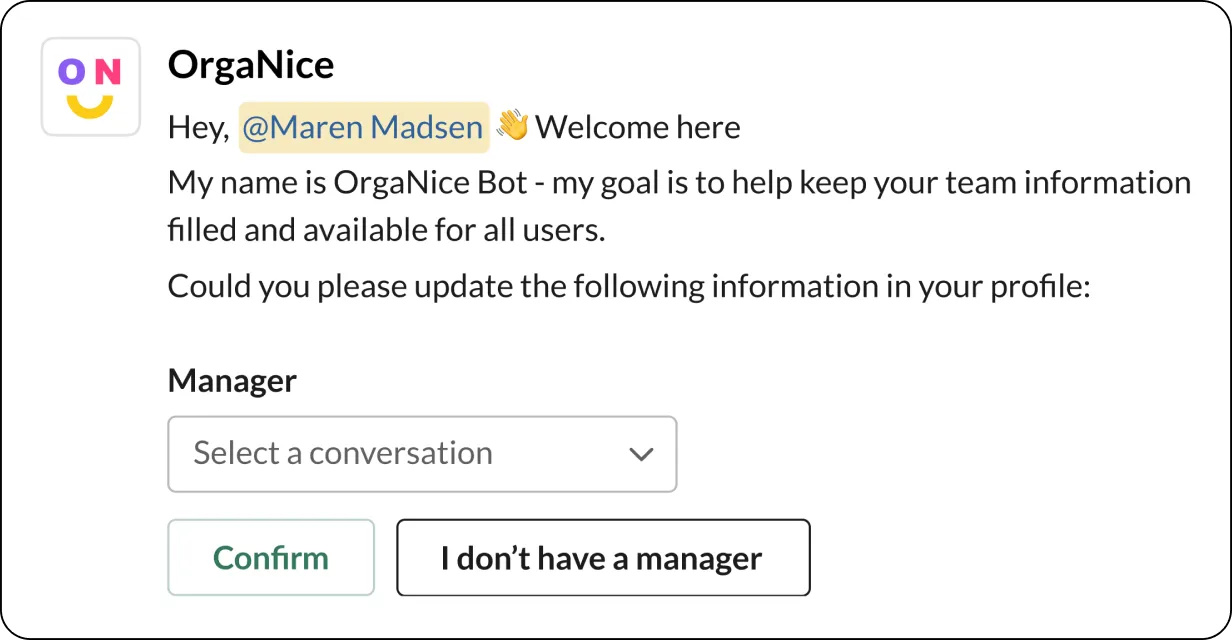
Create a welcoming environment for newcomers
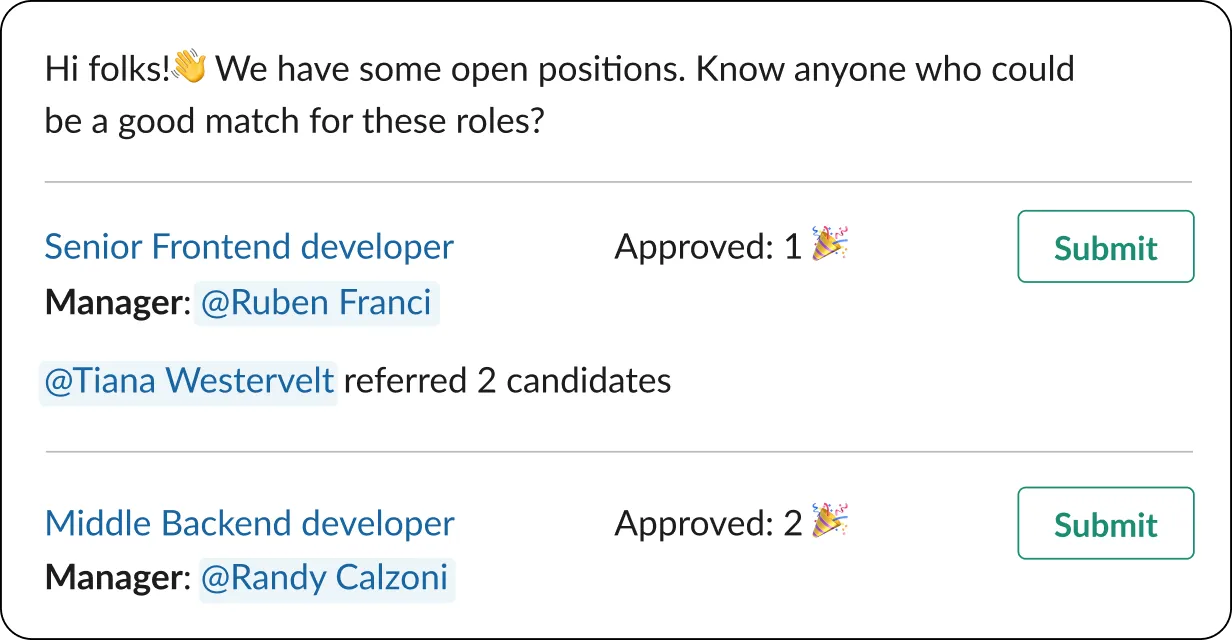
Hire faster with an employee referral program
Help employees understand who they're working with
Megan Lee🇵🇱 PolandKevin Nguyen🇺🇸 United States Mateo Silva🇧🇷 BrazilOlivia Martinez🇪🇸 SpainEthan Miller🇬🇧 United Kingdom
 Anna Kowalska🇵🇱 Poland
 Rated on G2
“OrgaNice made vacation approvals easy by alerting the team through Slack”
 Sander M.
“OrgaNice offers a good balance of feature-richness and price for a small team”
 Maxim Leonovich
Get your org chart up in minutes
- EmailEnter your emailorCheck your email
We sent a confirmation link to natalie@northwind.co. Open it to create your workspace.
Back to sign up Turn on Org Chart, plus any other features your team needs.
 Org Chart
 Time Offs
 B-days & Anniversaries
 Kudos
Invite your team by email or connect Slack, and OrgaNice fills in everyone's details.
Emailname@company.comEmailStatusmegan@northwind.coPendingethan@northwind.coPendingemily@northwind.coPendingYour org chart builds itself and stays current, so everyone knows who's who.
 MayaCEO
 OmarProductLucasSalesHannahDesign
 DiegoSales
Discover more killer features of OrgaNice
Birthday & anniversary celebrations
Promote a positive culture by letting OrgaNice automate and deliver personalized congratulations to your teammates.
Learn moreTime-off tracker
Tired of boring spreadsheets? Say hello to OrgaNice, a streamlined PTO, time off, vacation, "work from home," and absence tracker for your team.
Learn moreEmployee recognition - "Kudos" feature
Recognize and keep your people motivated by giving them kudos! Build a culture of appreciation across your team.
Learn moreFeedback collection & measurement - surveys
Keep a pulse on how your employees feel and measure their engagement with quick surveys and polls.
Learn morePower up team appreciation with rewards
Boost your team's motivation by rewarding them with both recognition and tangible perks.
Learn moreSmart team notifications
Keep your team aligned and informed with scheduled reminders and announcements.
Learn moreFrequently asked questions
Anything else? Email us at hello@organice.app
No. You can create a workspace with your work email, invite people by email and build the chart in your browser. With Slack connected, OrgaNice fills the chart from your Slack directory, keeps it in sync and can build the first version for you with AI.
OrgaNice asks people for the profile details they're missing, in Slack or by email, and sends admins a weekly report of what's still open. With Slack connected, people who join or leave are picked up automatically and profile fields sync both ways.
OrgaNice admins can edit everything: positions, departments, teams and anyone's profile. Everyone else edits their own profile, and the chart updates as they do.
Yes, with a public link. Each link has its own settings for which fields and views are visible, so you can make one for investors and another for candidates, and anyone with the link sees the live chart.
Yes. Add a profile field for the secondary manager and show it as a dotted line on the chart.
$1.25 per seat per month, or get every OrgaNice app for $2.25 with All features. Start with a free 14-day trial.