

How to become an affiliate
For everyoneUpdated Nov 1, 2026
Join the OrgaNice affiliate program from Slack or the web app, share your link and connect your bank account for payouts.
Joining the OrgaNice affiliate program takes less than a minute.
Steps
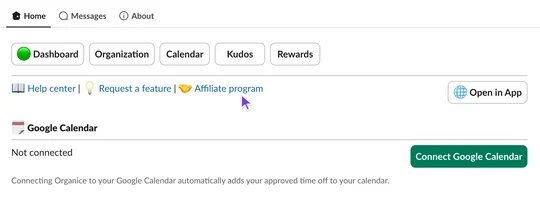
In Slack, open OrgaNice from your sidebar, go to the Home tab and click Affiliate program. In the OrgaNice web app, you can also click Refer & Earn at the bottom of the menu on the left.
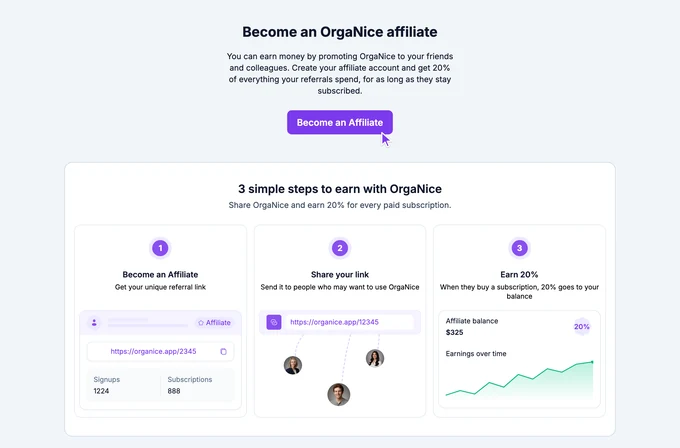
On the Become an OrgaNice affiliate page, click Become an Affiliate.
Result
You're an OrgaNice affiliate. You earn 20% of everything your referrals spend, for as long as they stay subscribed.
The same page becomes your affiliate dashboard, where you:
- Copy your referral link to share with friends, colleagues or your audience.
- Check your rewards: a 20% recurring commission on all plans.
- Track your results: clicks, leads and sales, plus your pending, approved and paid balances.
Get paid
Connect your bank account so we can send your commissions:
Open your affiliate dashboard: in Slack, go to OrgaNice › Home tab › Affiliate program, or click Refer & Earn in the OrgaNice web app.
Click the gear icon next to your Paid balance and connect your bank account.
Payouts go out once a month. Your balance needs to reach at least $50 before you can withdraw it. See how the affiliate program works.