
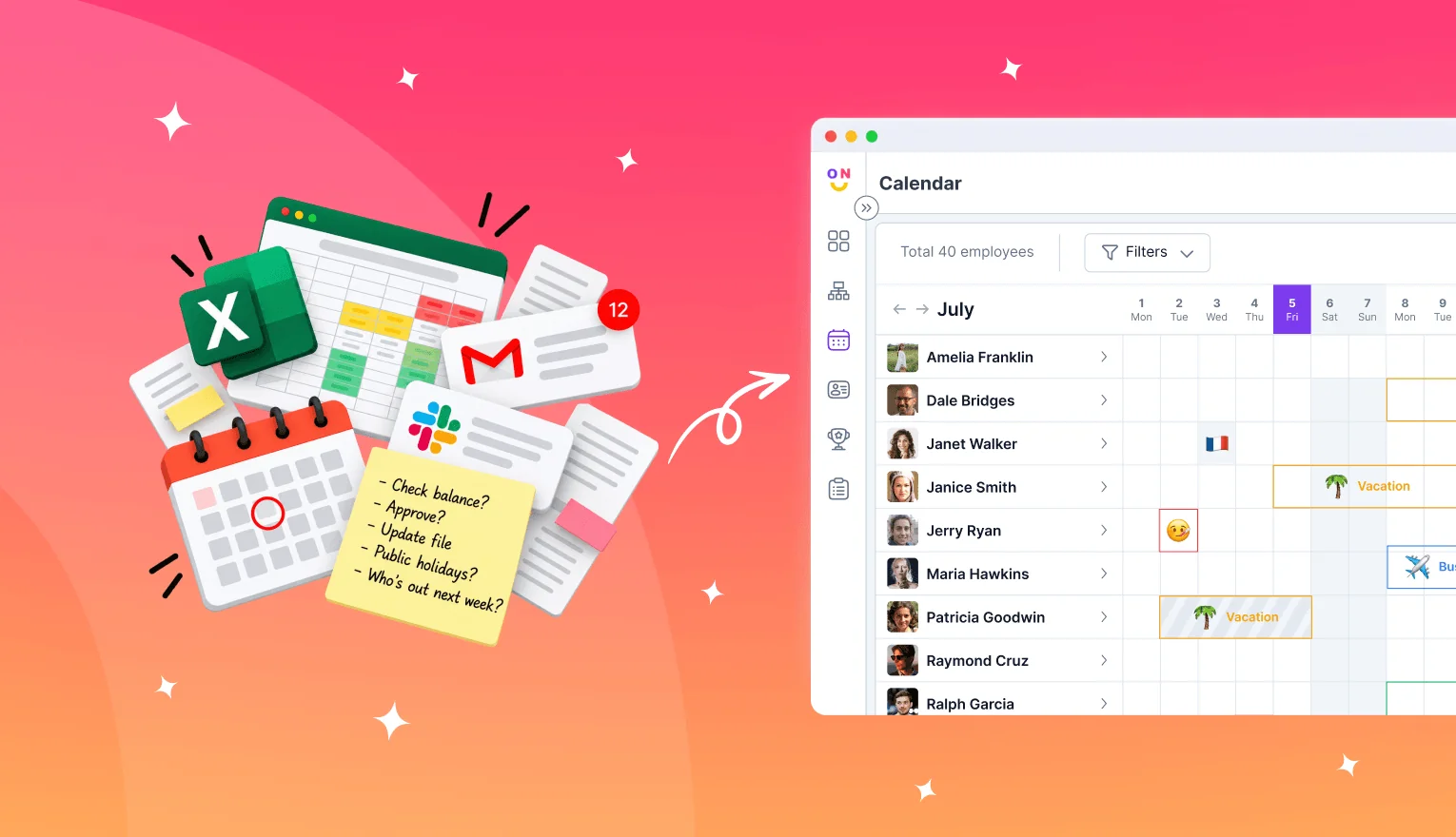
Leave management software replaces the spreadsheet and the Slack DM thread with one place where employees request time off, managers approve it, and balances update against your policy. For a 10 to 300-person team, the right pick is the tool your people will open: a standalone tracker, a module inside an HR suite, or an app that runs inside Slack or Microsoft Teams. List prices run from $1.25 to $10 per user per month, and minimums change the math for small teams. OrgaNice builds a time-off tracker that runs inside Slack, so this guide judges each option on where your team requests leave, what it costs for 50 people, and when a spreadsheet still does the job.
- What leave management software does for a small team
- The three kinds of leave management software
- Leave management software prices for a 50-person team
- The features that matter for a team under 300 people
- Adoption decides whether leave software works
- When a spreadsheet is still enough
- Mistakes teams make choosing leave software
- How to switch from a spreadsheet without losing balances
- Run a one-month pilot before you commit
What leave management software does for a small team
Leave management software handles four jobs that a spreadsheet struggles with: taking requests, routing approvals, tracking balances, and showing who is out. An employee picks dates and a leave type, the manager approves or declines, the tool deducts the days from the right balance, and the team calendar shows the absence. Your policy sits underneath: how many days each person accrues, what carries over at year end, and which public holidays apply in each country.
Most small teams start with a shared spreadsheet and a message to the manager. That setup holds until two things happen in the same week: someone asks how many days they have left, and the answer takes three tabs and a scroll through old DMs. EY's 2025 HR cost update puts a single manual HR data entry at $4.86 and an HR or manager search for employee information at $11.75, according to Paycom's summary of the EY research. At those rates, a 50-person team that logs 400 leave requests and answers 300 balance questions a year spends about $5,500 on manual handling. That's more than most tools in this guide cost for the same team over a year.
Employee leave management software also settles arguments before they start. A balance that the tool calculates from the policy carries more weight than a number someone typed into a cell in March. The leave types you track decide how much of that logic you need: vacation, sick days, parental leave, and comp time each run on different rules, covered in the types of PTO and what each one needs and how compensatory time off works.
The three kinds of leave management software
The leave management software market splits into three kinds of tools, and the split matters more than any feature list. Each kind puts the request form in a different place, and that place decides who uses it.
The kind of tool decides where requests happen. Prices are entry-plan list prices from each vendor's pricing page, checked October 22, 2026.
A standalone tracker does one job and does it in its own app. Timetastic and TimeOff.Management both give you a team calendar and approval rules, and TimeOff.Management syncs with Google and Outlook calendars. The tradeoff is one more login: employees have to remember the app exists when they want a day off.
An HR suite treats leave as one module among many. BambooHR, Rippling, and Gusto connect time off to employee records and payroll, which saves a monthly export once you run payroll through the same system. You pay for the whole suite to get the leave module, and BambooHR's Core plan starts at $10 per employee per month.
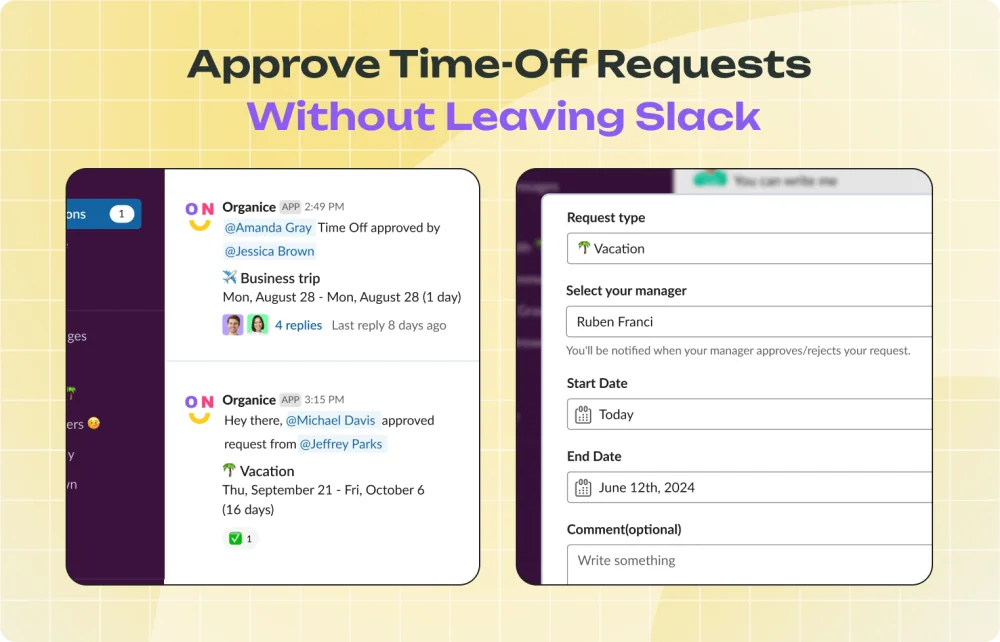
A chat-native app puts the request form inside the messaging tool your team already has open. In Slack, an employee runs a command or opens the app, picks dates, and the manager approves from a message. This is the newest of the three kinds, and it trades the depth of an HR suite for the highest odds that people use it.
Leave management software prices for a 50-person team
A per-user price looks small until you multiply it by your headcount and add the vendor's minimum. This table prices six leave management tools for a 50-person team at list price.
List prices from each vendor's pricing page, checked October 22, 2026. Monthly billing unless noted. Confirm current prices before you buy.
Three things move these numbers once you look past the per-user price. The first is minimums. Vacation Tracker charges at least $50 a month on Core, and BambooHR charges a flat $250 a month for teams of 25 or fewer, so a 15-person team pays BambooHR about $16.67 per person.
The second is the billing period. AttendanceBot costs $6 per user on monthly billing and $4 on an annual plan, and OrgaNice drops from $1.25 to $1.00 on an annual plan. An annual contract saves money and locks you in before you know whether people use the tool.
The third is what else you're buying. Timetastic and TimeOff.Management price leave on its own. BambooHR's $10 covers employee records and the rest of its core HR features, which is good value if you need them and $437.50 a month of overhead for a 50-person team that only wanted leave tracking. Over a year at list price, the bill for 50 people runs from $600 for OrgaNice's time-off app on an annual plan to $6,000 for BambooHR Core.
The features that matter for a team under 300 people
Annual leave management software for a small team needs fewer features than the vendor checklists suggest. These seven decide whether the tool fits.
Requests in two clicks. An employee should pick dates and a leave type and be done. Each extra field, a reason box or a required attachment, sends someone back to DMing their manager.
Approvals that follow your structure. A request goes to the employee's manager, and a backup approver takes over when that manager is out. Teams with two levels of sign-off need the tool to route to both without a second request.
Accrual and carry-over rules you set once. The tool should add days on your schedule and apply your carry-over cap at year end. If you haven't written those rules down yet, start with a PTO policy built for a small business.
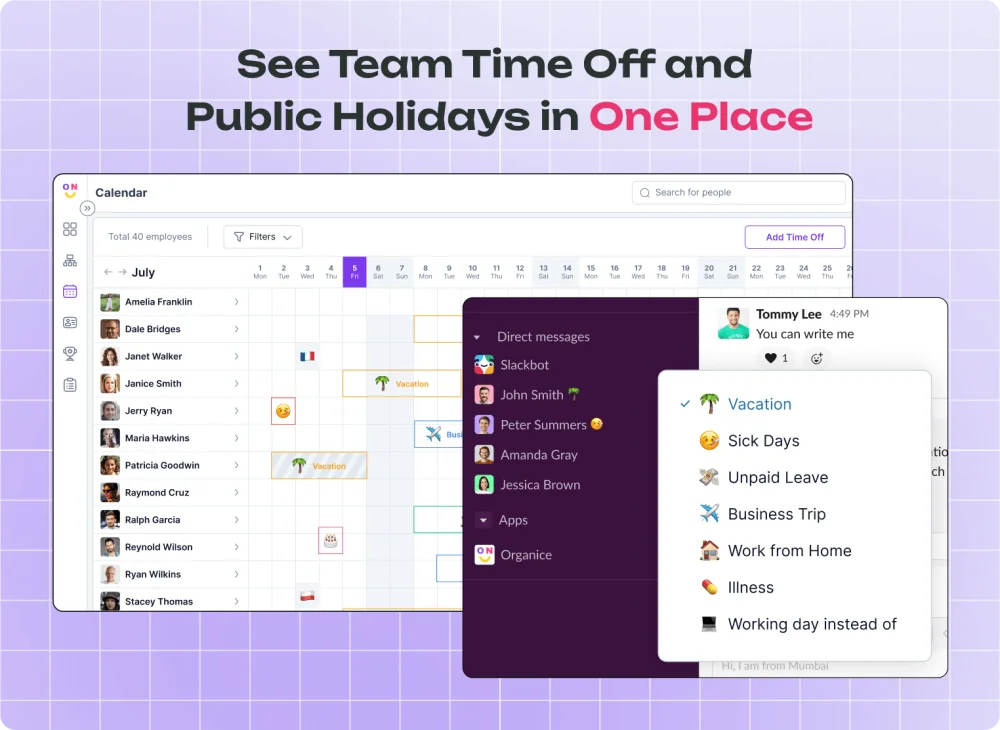
A team calendar with blackout dates. Managers need to see who is out next week before they approve a third person from the same team. Blackout dates block requests during a launch or year-end close, and vacation scheduling for small teams covers how to set them without angering people.
Public holidays by country. A remote team with people in four countries has four holiday calendars. The tool should load them, so an employee can't spend a leave day on a date the office already closed.
Reports you can hand to payroll. A monthly export of leave taken, by person and type, covers payroll for most teams under 100 people. Direct payroll integration is HR suite territory.
Status that updates itself. An away status in Slack and an out-of-office message that explains who covers what stop coworkers from waiting on someone who is on a beach.
Leave tracking software for remote and hybrid teams leans hardest on the last three. A team split across offices and time zones can't glance across the room to see who's in, so the calendar, holidays, and status do that work. The hybrid work policy guide covers the policy side.
Adoption decides whether leave software works
Leave management software works only if requests go through it. A team that bought a good tool and still DMs the manager for a day off has two records: the tool's balance and the real one. Within a quarter, your team stops trusting either one.
Adoption depends on where the request form lives. A standalone app asks employees to remember a URL and a password for something they do eight times a year. A chat-native leave management app puts the form in the window they already have open, and the approval arrives as a message the manager answers between other messages. The difference shows up in the first month of use: requests either come through the tool or keep arriving as DMs.
Picture a 40-person team in its first month on a standalone tracker. The tracker emails managers about each new request. Managers approve some from their inbox and some from a Slack DM, and three employees book leave by messaging their manager, since that's what they did last year. By the end of the month, the tracker shows 22 requests and the managers remember 30. Those eight missing requests turn into balance disputes in December. The fix is to put the request where the habit already lives, and for a Slack-first team that means Slack.
This is the argument for Slack-native HR tools in general, covered in more depth in HR in Slack for Slack-first teams. It has limits worth naming. Chat-native apps carry thinner HR records than a suite, and OrgaNice runs only in Slack, so a company on Microsoft Teams should look at Vacation Tracker or AttendanceBot instead.
When a spreadsheet is still enough
A spreadsheet is still enough for a team under 10 people with one office, one leave policy, and a founder who approves each request. At that size, a shared sheet with one row per person and a column per leave type does the job, and tracking PTO across the company covers how to set one up.
Four signs say you've outgrown it. A second person starts approving requests. You hire in a second country with its own holidays. Your policy gains accrual or carry-over rules that someone has to calculate. Or an employee disputes a balance and you can't show how the number got there.
Any one of these turns the spreadsheet into a part-time job for whoever owns it. Sick days make it worse, since they arrive without notice and need recording the same morning, which vacation and sick time tracking covers in detail.
Mistakes teams make choosing leave software
Buying an HR suite for one feature. BambooHR's Core plan costs a 50-person team $500 a month. If leave tracking is the only job, a tracker or chat-native app does it for $62.50 to $100.
Judging the demo instead of the request. A sales demo shows the admin dashboard. The screen that matters is the one an employee sees when they want next Friday off, so ask to submit a request yourself during the trial.
Ignoring minimums and contract terms. A $2 per user price with a $50 minimum costs a 10-person team $5 per person. An annual plan saves 20% to 33% and commits you for twelve months.
Skipping the policy work. Software applies a policy; it doesn't write one. Teams that import people before deciding accrual rates and carry-over caps end up fixing balances by hand in month two.
Leaving managers out of setup. Managers do the approving, and a manager who prefers DMs teaches the team to skip the tool. Bring the approvers into the trial from day one.
Forgetting the edge cases. Half days, hours instead of days, comp time, and leave that crosses a holiday trip up simpler tools. Test the two or three your team hits most, and see the most common time-off request problems for the full list.
How to switch from a spreadsheet without losing balances
The switch takes about a week of setup and one month of overlap. Six steps keep balances intact.
- Pick a cutover date at the start of a month and freeze the spreadsheet on that date.
- Enter your policy in the tool before any people: leave types, accrual rates, carry-over caps, and holiday calendars.
- Import each person's opening balance from the frozen sheet, and ask employees to confirm their own number in the first week.
- Assign an approver and a backup approver for each team.
- Announce one rule: from the cutover date, requests outside the tool don't count. Share a short time-off request template for anyone who still asks by email.
- Keep the old spreadsheet read-only for one quarter, so you can answer balance disputes from the record.
Step 3 prevents most of the trouble. An employee who confirms their balance on day five won't dispute it in month six.
Run a one-month pilot before you commit
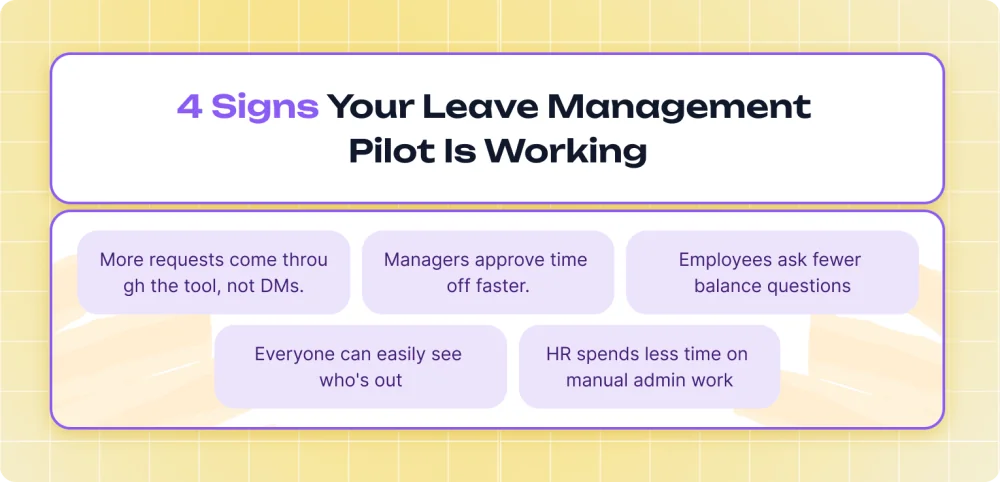
The best leave management software for your team is the one that shows up in the pilot numbers. Shortlist two tools from the price table, one that matches where your team works and one cheaper option, and run one month of real requests through both teams.
Track three numbers by the end of the month: the share of requests that came through the tool versus DMs, the average time from request to approval, and the number of balance questions HR answered by hand. The tool with the highest share of requests wins, even if it has fewer features, because a tool your team skips keeps a wrong balance.
If your team works in Slack, OrgaNice's time-off tracker handles requests, approvals, balances, holidays, and Slack status inside Slack, and its 14-day trial covers the first half of that pilot.
Questions, answered.
What is leave management software?
Leave management software is a tool where employees request time off, managers approve it, and balances update against your leave policy. It replaces the spreadsheet and the email or Slack thread with one record of who is out and how many days each person has left. Most tools add a team calendar, accrual and carry-over rules, public holidays by country, and reports for payroll.
What is the best leave management software for a small business?
The best leave management software for a small business is the one your team will use without reminders. Slack-first teams get the highest adoption from chat-native apps like OrgaNice, Vacation Tracker, or AttendanceBot. Teams that want a separate app should look at Timetastic or TimeOff.Management at $1.50 per user. Pick an HR suite like BambooHR when you also need payroll and HR records in one system.
Is there free leave management software?
AttendanceBot is free for teams of up to 5 users, and a shared spreadsheet costs nothing for a team under 10 people with one policy. Most paid tools offer a free trial instead of a free plan: 14 days for OrgaNice, Vacation Tracker, and AttendanceBot, 30 days for Timetastic and TimeOff.Management. A trial long enough to cover one month of real requests tells you more than a free tier.
How much does leave management software cost?
Leave management software costs $1.25 to $10 per user per month at list price. For a 50-person team, that's about $62.50 a month for OrgaNice's time-off app, $75 for Timetastic, $100 for Vacation Tracker Core, and $500 for BambooHR Core. Check minimums before you compare: Vacation Tracker charges at least $50 a month, and BambooHR charges a flat $250 a month for 25 employees or fewer.
Can I manage employee leave in Slack?
Yes. Chat-native leave apps run inside Slack: an employee opens a form, picks dates and a leave type, and the request goes to the manager as a Slack message with approve and decline buttons. OrgaNice, Vacation Tracker, and AttendanceBot all work this way, and OrgaNice also changes the employee's Slack status on the first day of leave and posts approved time off to a channel.
Does leave management software integrate with payroll?
HR suites like BambooHR, Gusto, and Rippling connect leave to payroll inside one system, which is the main reason to pay their higher per-employee price. Standalone trackers and chat-native apps export reports that your payroll provider imports or that someone enters each pay period. For a team under 100 people with one pay schedule, a monthly export covers payroll without the cost of a suite.