

How to give kudos in Slack
For everyoneUpdated Nov 1, 2026
Thank a teammate in Slack and tie your kudos to a company value.
Thank a colleague in a few clicks, right in Slack.
Steps
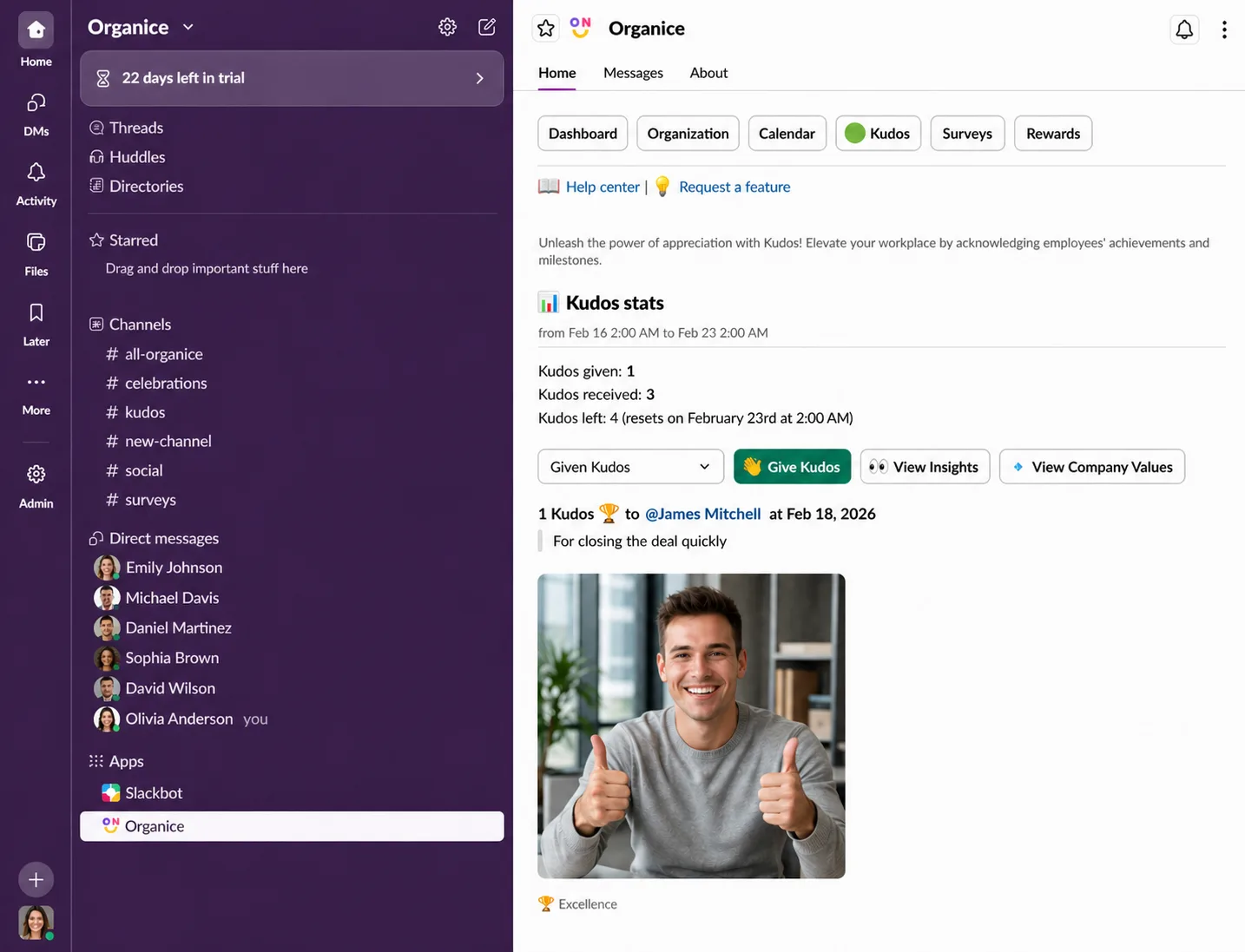
In Slack, open OrgaNice › Home tab › Kudos and click Give Kudos.
Fill in the form:
- Message: what you're thanking them for.
- Kudos recipients: one or more people.
- Value (optional): the company values they showed.
- Kudos quantity: how many kudos to give. The form shows how many you have left this week.
- GIF (optional): check Include a gif in your post and choose a GIF type.
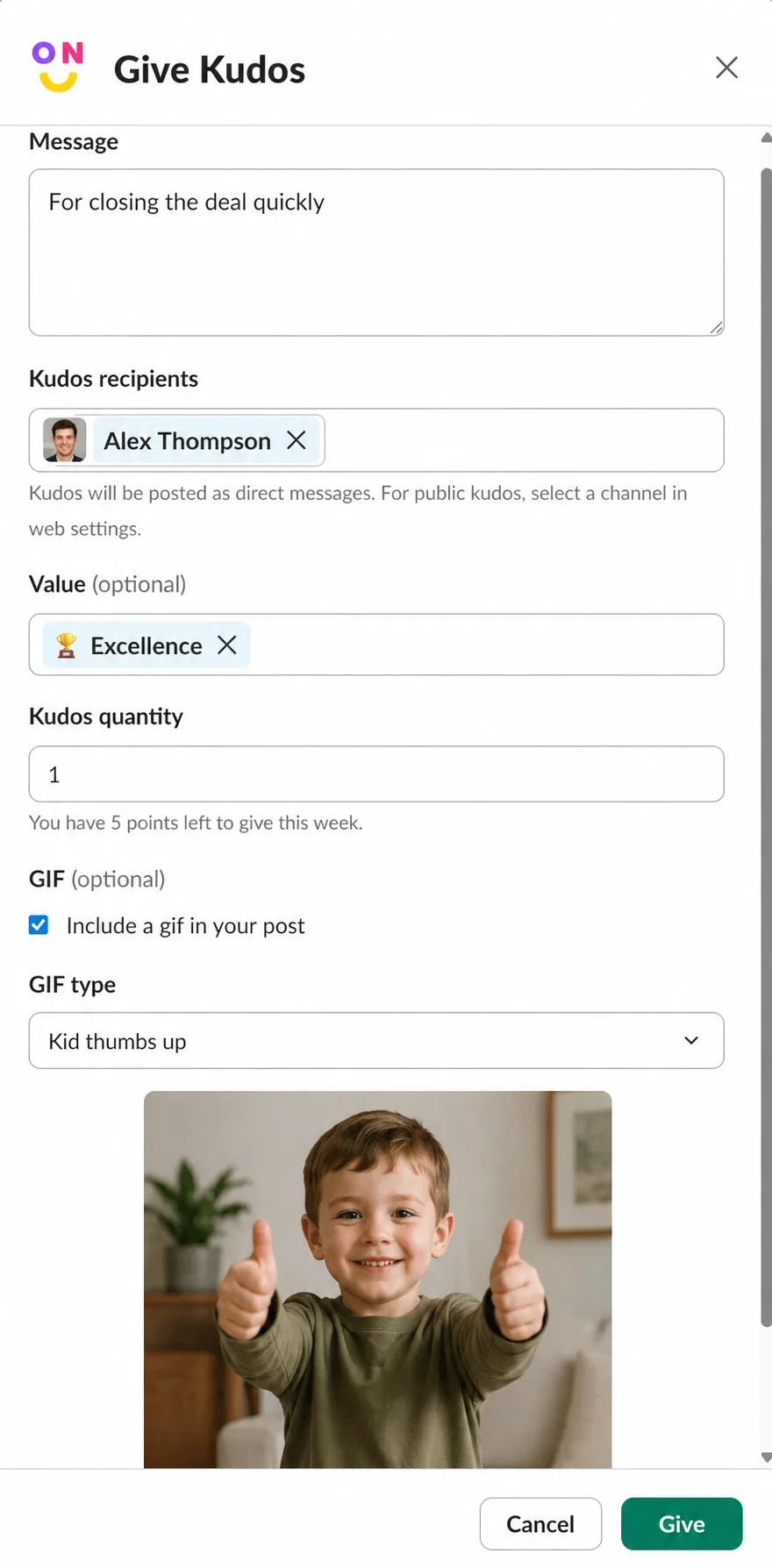
Click Give.
Result
OrgaNice confirms that the recipients got your kudos. If your workspace has a kudos channel, your kudos is posted there for everyone to see. If not, OrgaNice sends it to the recipients in a direct message.
Your quota fills up again on the schedule your admin set up.
Kudos in the web app
Open Kudos in the OrgaNice web app to:
- Give kudos with the button at the top right.
- Read the kudos: click Total kudos for the public feed, Kudos received for the ones you got, or Kudos given for the ones you gave.
- Check the Leaderboard of your company's Top givers and Top receivers.
- Use Filters to choose the period or company values, and Export to CSV to download the kudos that match them.