

How to set up rewards
For adminsUpdated Nov 1, 2026
Set how many coins people earn and build the rewards they can spend them on.
People earn coins for taking part, like receiving kudos or answering surveys, and spend them on rewards you offer. Open Settings › Rewards. There are two tabs: Rewards and Rewards Actions.
Rewards must be turned on: check the switch at the top right of the page.
Set how many coins people earn
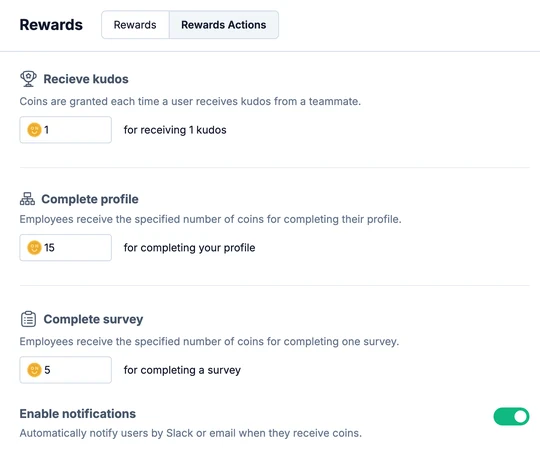
On the Rewards Actions tab, enter the coins people get:
- Receive kudos: for each kudos a teammate gives them.
- Complete profile: once their profile is complete.
- Complete survey: for each survey they answer.
Keep Enable notifications on to let people know by Slack or email when they receive coins.
Add a reward
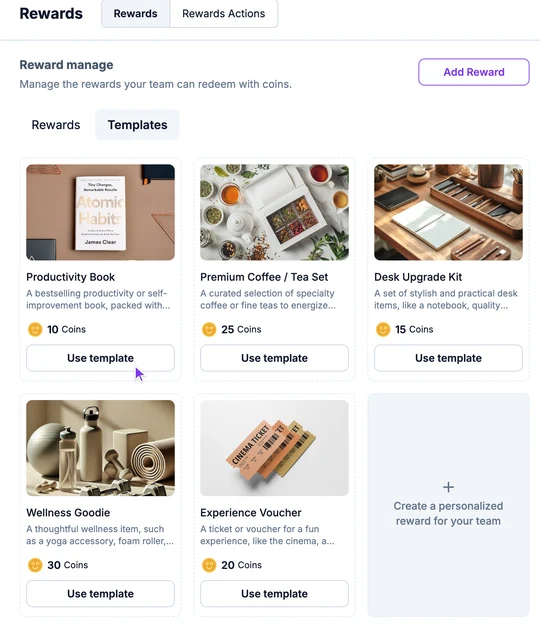
On the Rewards tab, click Add Reward. To start from a ready-made reward, open Templates and click Use template, or click Create a personalized reward for your team.
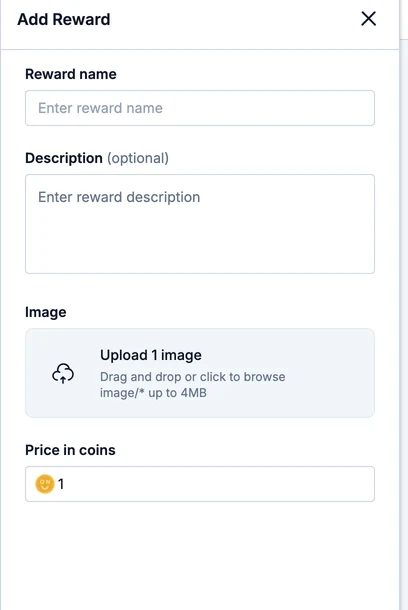
Fill in the reward:
- Reward name: a clear, catchy title.
- Description (optional): what the reward is and how people get it.
- Image: a picture of the reward, up to 4 MB.
- Price in coins: what it costs.
Click Add Reward. It appears under Rewards, and people can request it.
Manage rewards
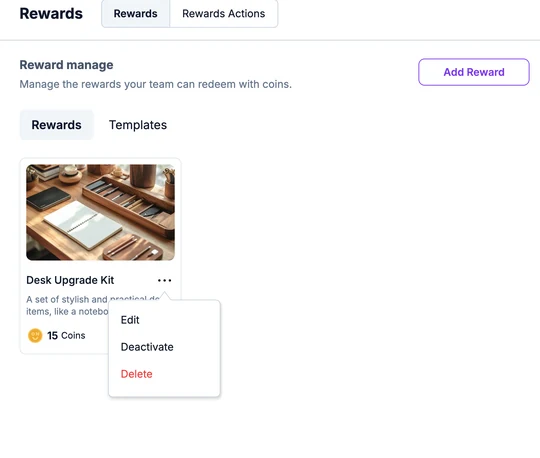
Click the three dots next to a reward's name:
- Edit to change it.
- Deactivate to hide it for a while. Turn it back on with the Active switch when you edit it.
- Delete to remove it.
What's next
- Share how to request a reward with your team.
- When requests come in, approve them and manage coins.
- To remind your team what they can get, add a Rewards block to a scheduled notification.